

The Android screen blackout: How to rescue your data without a repair bill
When a shattered display turns your smartphone into a digital brick, these specific technical workarounds can bypass the hardware failure to save your files.
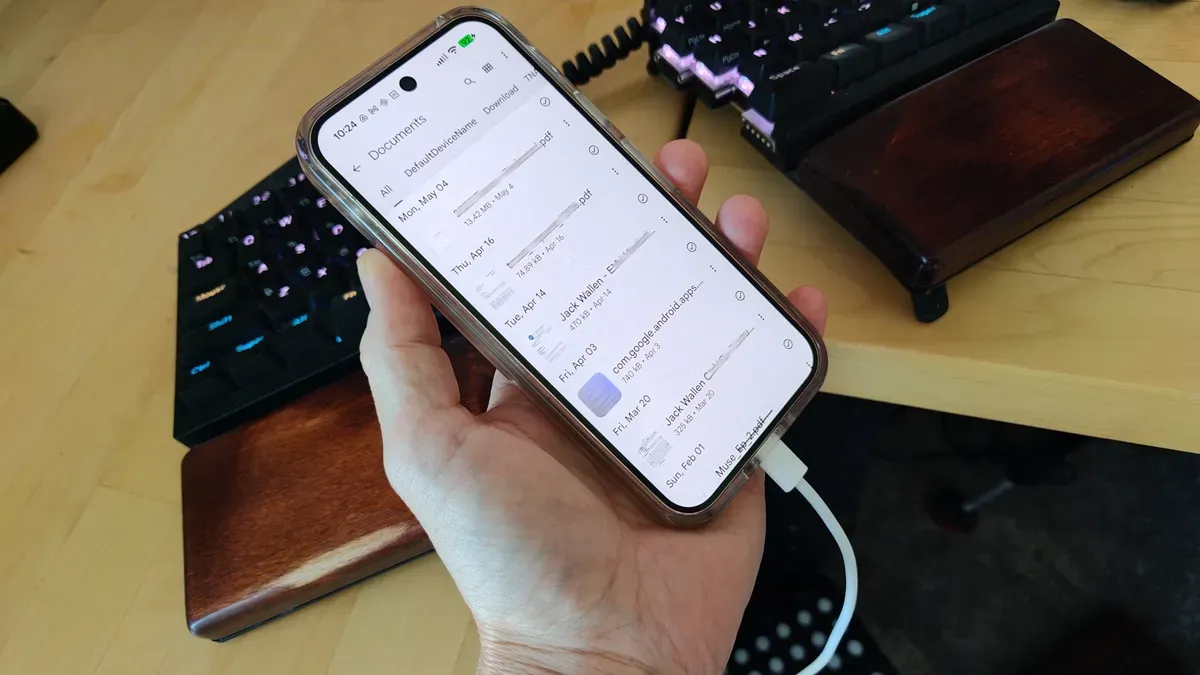
Android users facing hardware-induced data lockout can utilize specific bypass methods to retrieve critical files without immediate screen replacement. This technical contingency is essential for professionals who rely on mobile-first data ecosystems for their daily operations.
A shattered Android screen is more than a physical nuisance; it is a sudden, high-stakes barrier to your digital life. When the digitizer fails or the display goes completely black, the device effectively becomes a black box, locking away photos, documents, and two-factor authentication codes that are often impossible to recover through standard means. However, you do not necessarily need to drop hundreds of dollars on a professional repair just to access your files. There are established, free methods to bridge the gap between a broken interface and your data, provided you can navigate the technical hurdles of a non-responsive touch layer.
To execute a successful data rescue, the most effective first step involves bypassing the touch interface entirely using a USB OTG (On-The-Go) adapter. If your screen is visible but the touch functionality is dead, plugging a standard computer mouse into your phone via this adapter allows you to navigate the UI, unlock the device, and trigger a cloud backup or a direct file transfer. This method turns a chaotic hardware failure into a manageable software task, allowing you to interact with the OS as if you were using a desktop computer. For those facing a total display blackout where the screen is pitch black, the strategy shifts toward leveraging existing cloud synchronization or utilizing specialized desktop software that can communicate with the device via ADB (Android Debug Bridge), assuming developer options were previously enabled.
Understanding the mechanics of this recovery requires looking at the broader ecosystem of mobile security and hardware integration. Modern smartphones are designed with a 'security-first' architecture, which is a double-edged sword for the user. While encryption protects your data from thieves, it also creates a formidable wall when the primary input method-the screen-fails. This tension between security and accessibility is a constant theme in mobile hardware development. For the power user or the executive, this means that 'pre-emptive data hygiene' is not just a suggestion; it is a critical risk management strategy. Relying on a single point of failure, such as a local-only storage model, creates a massive single point of failure for your personal and professional continuity.
From a broader industry perspective, the rise of 'unrepairable' hardware trends has increased the demand for these types of digital workarounds. As manufacturers move toward integrated components and proprietary screws, the cost of a simple screen replacement often approaches the residual value of the device itself. This economic reality forces users to become amateur technicians, seeking out software-based solutions to bypass hardware limitations. The ability to move data from a broken device to a new one is becoming a core competency for the modern digital citizen, as the lifecycle of mobile hardware continues to compress and the density of data stored on these devices reaches unprecedented levels.
For professionals, the stakes of a broken screen extend beyond lost vacation photos. We are seeing an increasing reliance on mobile devices for sensitive enterprise data, including encrypted messaging apps, corporate email, and authentication tokens. A broken screen can lead to a total lockout from corporate systems if the device is the sole holder of a physical security key or a biometric-locked authenticator. This makes the 'broken screen' scenario a legitimate business continuity concern. If your primary device fails during a critical window, the time lost to hardware repair or data recovery can translate directly into lost productivity and missed opportunities.
Ultimately, the lesson for anyone managing a high-stakes digital workflow is to decouple data from hardware. The most resilient users are those who treat the smartphone as a transient vessel for data rather than a permanent vault. By ensuring that cloud synchronization is active and that secondary access methods are established, you mitigate the impact of the inevitable hardware accident. Whether it is a drop on concrete or a battery swelling against the display, the goal is to ensure that the failure of the glass does not result in the failure of your information architecture.
This story's Key Insights and Take-aways are locked.
Create a free account to unlock Executive Actions for one credit.
Register to UnlockAlways free for Executives Club members. Join the Club
More in Technology

OpenAI says 10,000 agents cracked a 90-year math problem in 88 hours
The company's claim is audacious, but one mathematician is pushing back. Here's what it means for AI-driven discovery.
Meta still serves child sexual abuse ads on Instagram in India - BBC report
A new report following the BBC Eye investigation says the ads are still there - what it signals for every platform with a self-serve ad engine.

White House yanks 'Build the Wall' game after Tetris Company copyright warning
The administration's arcade game vanished in hours - and the takedown playbook every brand can learn from.