

Microsoft’s Surface Laptop trackpad vibrates to confirm Windows 11 actions
Haptic feedback turns “precision” into a physical cue, changing how Surface users interact with Windows 11.
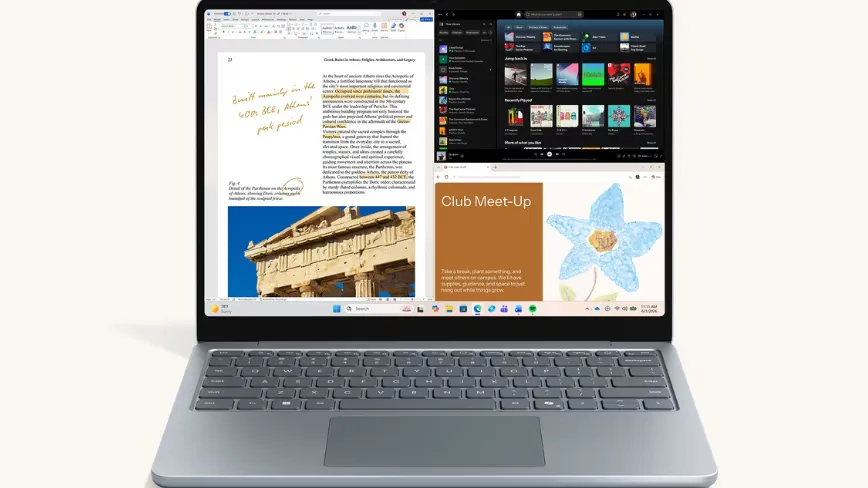
Microsoft’s redesigned trackpad on the new Surface Laptop and Surface Pro adds haptic feedback that vibrates when interacting with Windows 11. For decision-makers, it signals a real shift toward UI that delivers confirmation through touch, not just visuals.
Microsoft’s new Surface Laptop and Surface Pro include a redesigned trackpad with haptic feedback. The trackpad vibrates when you interact with Windows 11, turning certain on-screen actions into a physical “yes, that’s aligned” signal.
In plain terms, it works like this: snap a window to one side of the screen and you feel it in the trackpad. Align an image in PowerPoint and the trackpad confirms the placement. Scrub a video timeline and the vibrations track the movement. That is the core product move described here: Windows 11 interactions are paired with haptic confirmation from the hardware.
This matters because touch-based feedback is one of the fastest ways for a PC experience to feel more responsive without changing the underlying software logic. A traditional display can show you where things ended up, but it cannot tell you in real time whether you nailed the target while your eyes are elsewhere. Haptics closes that loop. For busy teams, the practical benefit is reduced ambiguity. For execs, the bigger question is strategic: will competitors treat this as a “nice-to-have” feature, or will it become a baseline expectation for premium Windows devices?
Surface is Microsoft’s showcase category for that exact reason. The Surface Laptop and Surface Pro sit at the intersection of hardware differentiation and Windows software design. When the operating system experience is paired to a distinctive hardware element like a vibrating trackpad, Microsoft can make Windows 11 feel less like generic desktop software and more like a system with coordinated sensory cues. Even if the underlying interaction model is familiar, the haptic confirmation changes the perceived quality of precision tasks.
There is also a second-order product design implication: the usefulness of haptics depends on when it triggers. Based on the examples given, Microsoft is pairing vibration with actions that have a clear spatial outcome: snapping a window to a side, aligning an image in PowerPoint, and scrubbing along a video timeline. Those are moment-to-moment interactions where users can benefit from confirmation that the system recognized their intent. Executives and product leaders should notice the pattern. Rather than haptics being deployed broadly for “everything,” it is used for specific, high-signal actions where feedback can reduce user friction.
Now zoom out to the competitive landscape. PC hardware differentiation has been increasingly about subtle experience wins: display quality, battery life, acoustics, thermals, camera performance, and now touch feedback. A trackpad that vibrates on Windows 11 interactions is a tangible lever that competitors can copy, but copying the experience is harder than copying the spec. To truly match what users feel, a rival needs consistent software behavior that coordinates with the hardware. That coordination is where platforms become stickier.
There is also an organizational incentive at play. Microsoft is effectively bundling a Windows 11 interaction design decision into the Surface hardware experience. That gives the company room to demonstrate how Windows 11 can deliver value even when the user is not doing anything “new,” just doing common tasks in a more guided way. For decision-makers at other PC and device companies, the strategic risk is complacency: if you treat haptics as gimmicky, you may under-invest in the software-hardware integration needed to make it genuinely useful.
Finally, regulators usually do not police laptop haptics directly. But the broader regulatory and policy environment still matters indirectly because it shapes product acceptance in safety-critical and accessibility contexts. Haptic feedback is another channel that interacts with user perception, and in many markets it will be evaluated alongside accessibility claims and user experience standards. That means board-level teams should think beyond “can we add vibration?” and toward “does the feature improve clarity without confusing or excluding users?” The source does not provide accessibility details, so the safe conclusion is simply this: the feature is designed to confirm actions, and that design choice will influence how stakeholders evaluate the experience.
For executives, the takeaway is straightforward. Microsoft is using the Surface Laptop and Surface Pro to demonstrate that Windows 11 interactions can be communicated through touch, not just sight. If you lead a device roadmap, you should treat haptic feedback as an interface shift with competitive consequences, not just a component upgrade. And if you build the software layer, you should realize that your interaction design now has a physical counterpart, one that users will notice immediately when it is missing.
This story's Key Insights and Take-aways are locked.
Create a free account to unlock Executive Actions for one credit.
Register to UnlockAlways free for Executives Club members. Join the Club
More in Entertainment

Russell Brand's accuser 'bewildered and confused' as he denies 7 sex charges
The criminal case against the comedian is a live test of how media companies manage talent risk when serious allegations go public.

'It's a Magic Trick': Ballet Experts Say Rosalía's SNL Pose Is Impossible
Three ballet experts tell Rolling Stone Rosalía's gravity-defying SNL stillness shouldn't be possible - and why the debate is now part of the show.

Activision CMO: GTA 6 Will Boost Call of Duty, Not Bury It
Activision's top marketer says Rockstar's blockbuster will drive players back to consoles and into Modern Warfare 4, even as the company admits its recent strategy failed.